Login
Welcome to ASCENDER StudentPortal!
StudentPortal is a web-based system for students that provides the tools that will help you view your attendance, grades, and assignments, as well as organize and plan your schedule of classes. StudentPortal includes two applications, Student Course Requests and Student Graduation Plan.
Student Course Requests allows you to request courses for the next school year, including alternate courses. Once you submit your course requests, you cannot go back to change them. If you need to make changes, you will need to visit with your counselor.
Student Graduation Plan allows you to view and change your graduation plan, and view and print the summary and detail of your course credits. Graduation plans are for high school-level students only. Any coursework completed prior to the 9th grade will be reflected in the remaining credits needed, which can be viewed through the Credit Summary and Credit Detail pages of the StudentPortal Student Graduation Plan application.
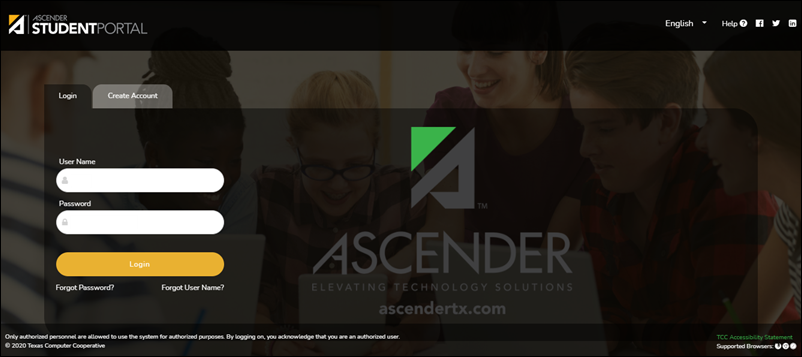
Log in:
| User Name | Type your user name. Your user name is not case-sensitive. |
| Password | Type your password. The typed text is hidden. Your password is case sensitive. |
❏ Click Login.
The Campus Message opens in a pop-up window. Read the message, and then click Close to close the window.
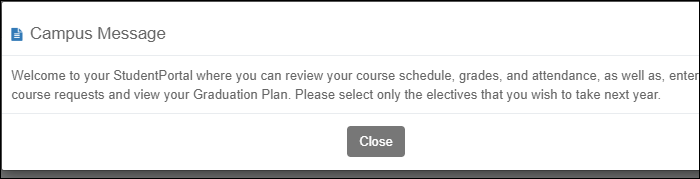
The Campus Message opens in a pop-up window. Read the message, and then click Close to close the window.
You can access this message again any time by expanding the Campus Message section at the top of the Course Request page.
❏ Use the left-side menu to access the StudentPortal pages.
NOTE: After 20 minutes of inactivity, you will be logged off from the system and will return to the Login page.
Register as a new user:
❏ From the Login page, click Create Account to go to the Create Account page.
❏ Follow the instructions provided in the online Help for the Create Account page.
Reset your password:
If you forgot your password, you can reset it to regain access to StudentPortal. You can also change your password at any time.
❏ From the Login page, click Forgot Password to go to the Reset Your Password page.
❏ Follow the instructions provided in online Help for the Reset Your Password page.
Recover your user name:
If you forgot your user name, you can reset it to regain access to StudentPortal.
❏ From the Login page, click Forgot User Name to go to the Recover Your User Name page.
❏ Follow the instructions provided in online Help for the Recover Your User Name page.
NOTE: If you get locked out of your account due to too many login attempts, your account will automatically be unlocked after a predetermined time set by the district.