Reset Your Password
You can use the Reset Password wizard to reset your password.
Reset Password
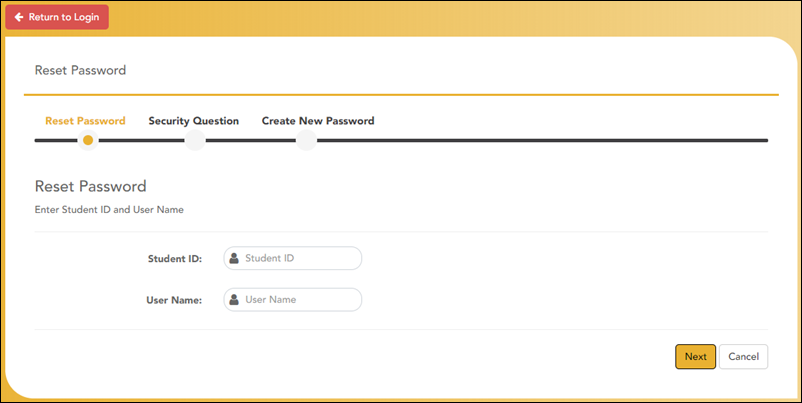
| Student ID | Type your Student ID. |
| User Name | Type your user name. You must create an account in order to create a user name. |
❏ Click Next.
If you entered the data correctly, the Security Question step opens.
Security Question
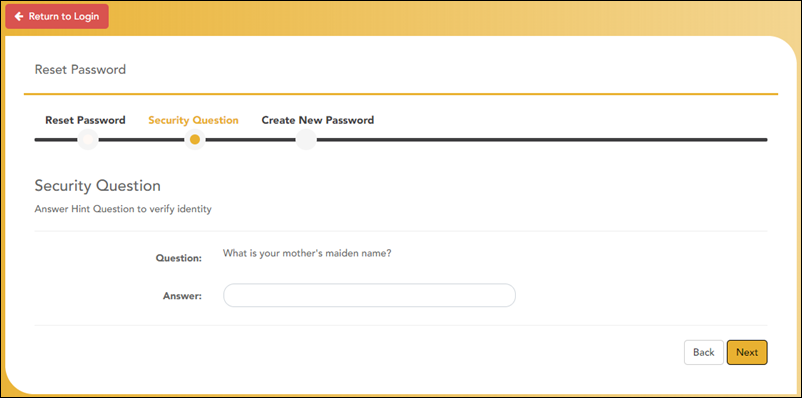
❏ Type the answer to your security question in the Answer field.
❏ Click Next.
If you entered the data correctly, the Create New Password step opens.
Create New Password
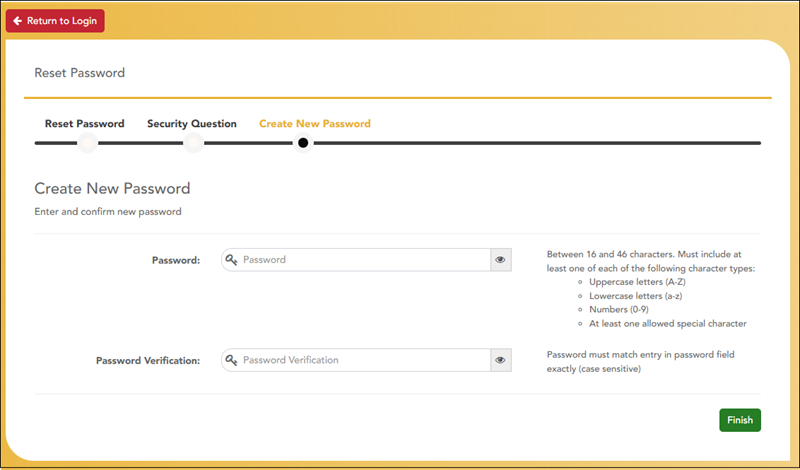
❏ Type your new password.
| Password |
Type a password that you will use when you log on to StudentPortal.
Requirements: Between 16 and 46 characters. Must include at least one of each of the following character types:
|
| Confirm Password | Retype the password exactly as you typed it above. This step confirms that you typed your password as you intended. |
❏ Click Finish.
The Announcements page opens.